Viggle AI Face Swap Review: Pros, Cons, Pricing and the Best Free Alternative in 2026
In 2025, the pace of AI development is accelerating day by day. Among the many emerging tools, Viggle AI has sparked a wave of discussion. From TikTok creators and meme communities to digital marketers, it seems that a wide range of users are experimenting with Viggle AI. What began as a small AI animation experiment quickly evolved into a leading player in the creative AI space—closely tied to the explosion of short videos, character swaps, and dynamic remix content across social media.
So, why has Viggle AI grown so rapidly?
In this article, we will take an in-depth look at its strengths, weaknesses, and pricing to help answer the core questions users care about most. You’ll learn how to use Viggle AI effectively and evaluate whether it’s worth investing your time and money. And if it doesn’t meet your needs, we’ll also explore the best alternatives available.
By the end of this guide, you’ll have a clear and practical understanding of Viggle AI—and be able to decide whether it deserves a place in your creative toolkit.
What Is Viggle AI?
Viggle AI initially positioned itself as an AI-driven animation platform, allowing users to generate dynamic character movements from still images or reference videos. Later, with business development, it gradually evolved into a comprehensive creative tool platform, with key functions including:
- Meme Maker – Generate various viral memes; simply use templates and upload your own photo.
- AI Face Swap Video – Replace faces in videos or animations with target faces, accelerating creation.
- Video Generate – Generate videos from images, or actually transfer dance moves onto characters; it also provides a large number of catchy video templates, allowing you to create fun videos with just one click.
Viggle AI also offers other tools, primarily focused on creating entertaining videos, enabling users to easily create engaging video content without professional skills.
It's worth noting that Viggle AI is particularly well-suited for short video content creation. Creators use it to generate compelling short videos for platforms like TikTok, Instagram Reels, and YouTube Shorts.
Viggle AI Face Swap: Review of Core Functions
Viggle AI Face Swap primarily provides face-swapping services for videos, while also accelerating the video creation workflow.
Viggle AI Face Swap : How to swap faces in videos
Viggle AI makes it effortless to swap faces into virtually any scene—from iconic movie moments to wildly funny meme clips. Simply upload a photo or video, or choose from a template, and create realistic, expressive face-swap results in just a few clicks.
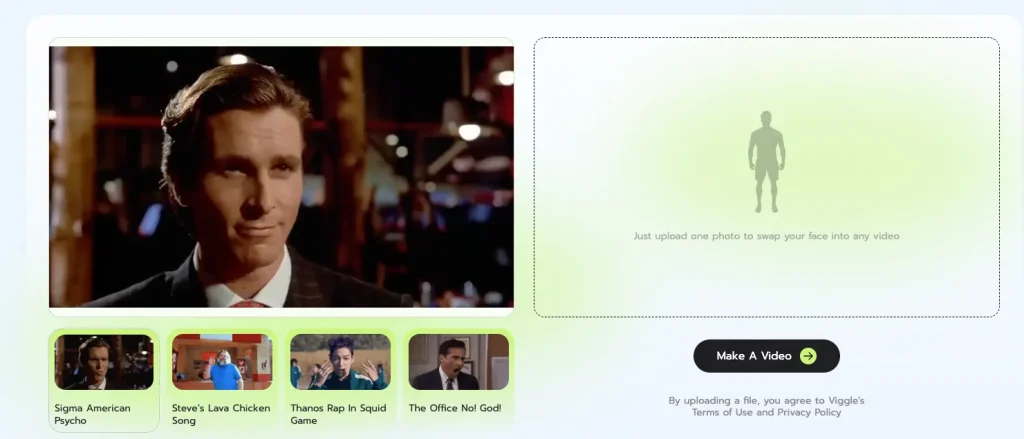
Here are the specific steps to complete the process:
- Step 1: Register/login to your Viggle AI account and go to the Face Swap tool page. As shown in the image above.
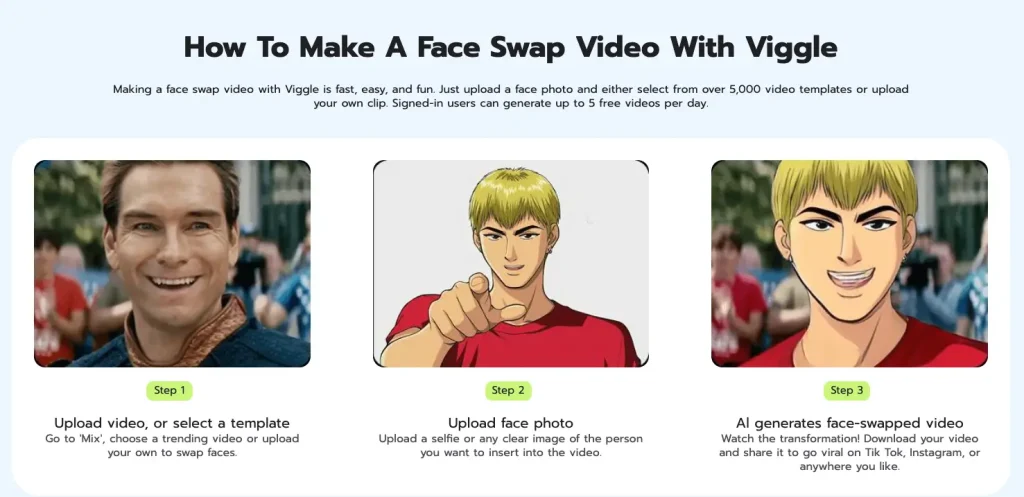
- Step 2: Upload the original video or choose a video template
Go to the face swap function area, select a popular video, or upload your own video.
- Step 3: Upload a photo containing the face
Upload a selfie or any clear photo of the person you want to insert into the video. The face must be clean and visible.
- Step 4: AI begins face swapping
The AI will replace the face in the selected or uploaded video with your target face. Wait a few minutes for the download to complete, then share it on a short video platform.
AI Face Swap Quality Assessment
After personally testing it, I used the Viggle AI Face Swap feature to create a face-swapped video, as shown below. The results aren’t 100% perfect, but there are several aspects worth highlighting:
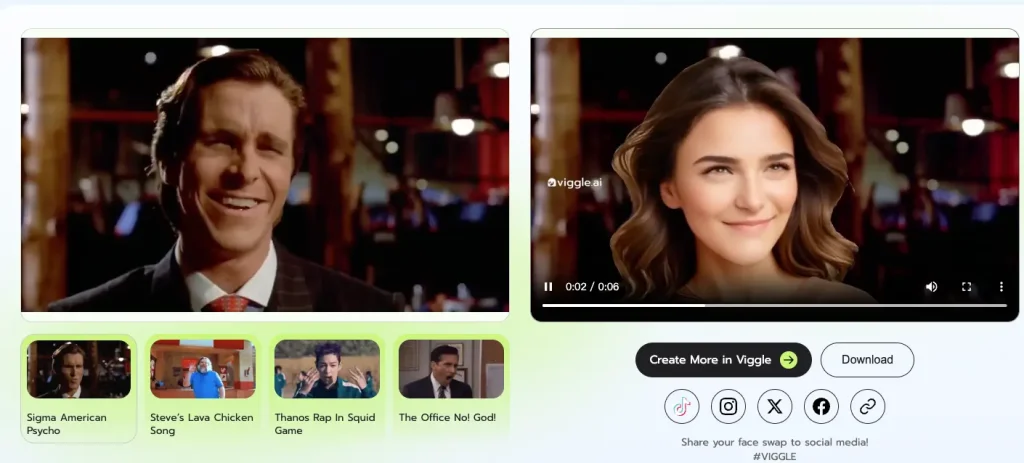
- Face Swapping Effect: The overall effect is acceptable, but it's not a true face swap. It doesn't retain the original video's hairstyle and clothing; it simply transfers the person from the target photo to the original video and replaces the original person. There is also some flickering in the video.
- Face-Swapping Expressions: The facial expressions are preserved completely. The replaced face almost perfectly replicates the expressions of the person in the original video, with high fidelity.
- Face-swapping speed: Since the test used an official template, the total duration was 6 seconds and the speed was about 1 minute. If you upload your own 30-second video, the time will exceed 2 minutes.
- Video Realism: Details throughout the video are preserved, almost 100%. However, since it replaces the character, environmental details are copied.
- Motion Smoothness: The motion is quite smooth. Almost every frame replicates the movements of the person in the original video without any stuttering or pauses.
- Watermark: The generated video has a built-in watermark. This feature promotes social media sharing, but it may negatively impact the user experience.
Platform Compatibility
While the website tools provided by Viggle AI Face swap attract visitors and offer a free trial, they are unusable on mobile devices due to incompatibility issues and a poor user experience.
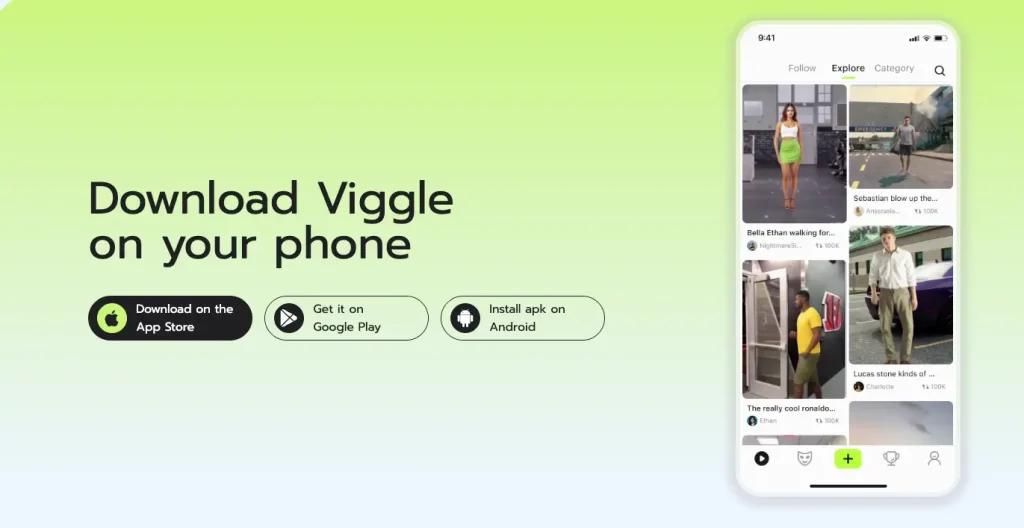
Additionally, Viggle AI offers iOS and Android apps for download, accessible directly from the App Store via the website.
Template Resource Assessment
Viggle AI offers a large number of template resources, many of which are already popular clips. These resources can not only help users create content quickly, but also allow users to quickly experience the results of the features.
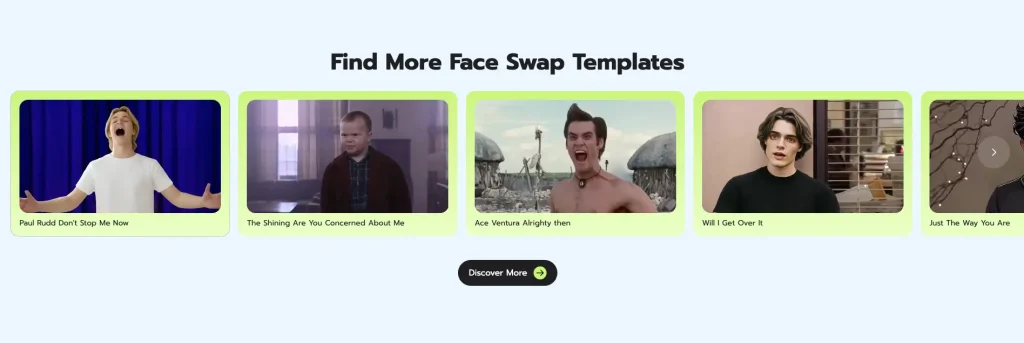
Judging from the effects of the provided face-swapping video templates, they can all achieve the creative purpose very well.
Viggle AI Pricing and Free Limitations
According to official pricing information, Viggle AI offers monthly and annual plans, with the free plan including 5 free video creations. Details of the monthly plans are as follows:
- $9.99/month, includes 80 credits per month, unlimited video generation, up to 4 videos per creation. 1080p resolution, no watermark. $0.124 per credit score
- $19.99/month, includes 200 credits per month, unlimited video creation, up to 6 videos per creation, also supports 1080p resolution and no watermark. Each credit score is worth $0.099.
- $79.99/month, includes 800 credits per month, allows creation of 10 videos per generation, no watermark, fastest generation speed, etc. Each credit score is worth $0.099.
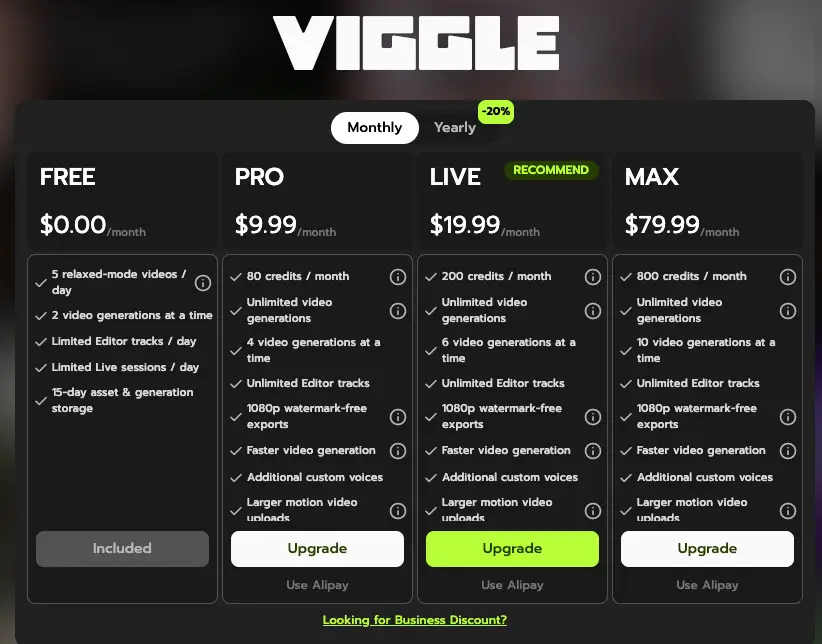
If you're just trying it out, I suggest you buy the $9.99 plan and cancel the subscription the following month. Frankly, only the subscription plan isn't user-friendly for new users. Monthly plans are more expensive than other similar tools, and annual payments can be a significant financial burden for ordinary users.
Viggle AI Pros & Cons
Pros
Its advantages are not so prominent, but it does have some notable points, such as the following:
- It's easy to use; just a few clicks are all it takes to start.
- It offers a wealth of template videos, all featuring classic, hilarious moments.
- It supports both web and app use, catering to most people's daily life scenarios.
Cons
Overall, Viggle AI Face Swap has quite a few shortcomings, including the following:
- The video has a watermark, and watermark-free access is only available after a subscription, which is unfriendly to new users.
- The price is relatively high, making it too costly for ordinary users.
- It changes the hairstyle and clothing of the people in the original video, which doesn't fall under the category of face swapping.
- The people blending into the video look unnatural, and flickering light and shadow appear in areas of inconsistent size.
- Videos under 10 seconds are processed too slowly, requiring at least 30 seconds.
- The face-swapping function is too basic, lacking both GIF and image face swapping capabilities.
In summary, Viggle AI face swap only offers face-swapping services for videos and does not cover image usage scenarios. Furthermore, the so-called face swapping simply involves transferring the person's face, not actually swapping their face. If you are just curious to try out a similar product, then you can choose it.
Best Alternative to Viggle AI Face Swap: AIFaceswap
What is AIFaceswap? (A Free Alternative to Viggle AI)
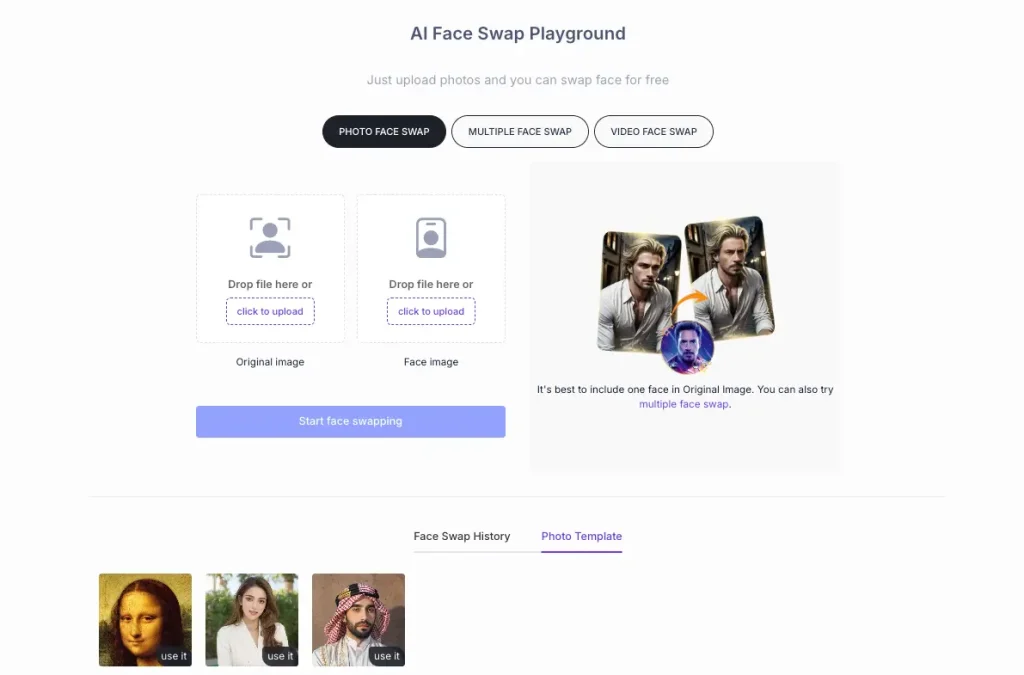
If you're looking for a free alternative to Viggle AI, you've probably heard of aifaceswap.io. AIFaceswap is an online AI-powered face-swapping platform that allows users to directly replace faces in photos, GIFs, and short videos within their browser without requiring complex editing skills. The platform emphasizes ease of use, fast processing, and easy sharing, making it particularly suitable for creating memes and social media content.
Face swapping: Rich face-swapping Features
- Image Face Swap: No registration required, up to 100 free swaps per day. Any image can be swapped without any restrictions.
- GIF Face Swap: Instantly swap faces between memes and GIFs. Quickly complete face swaps wherever GIFs can be used.
- Video Face Swap: Multi-face Swap: Swap faces between multiple people in images, videos, or GIFs.
- Batch Face Swap: Easily batch process to avoid repetitive operations, increasing design and creation speed.
- AI Face Enhancer: Improve image quality by enhancing faces if the uploaded face and the swapped result are blurry.
In addition, there are many other image and video tools available. AIFaceswap can help you with anything you need.
Price
Compared to the Viggle AI Face Swap, it offers more free credit and a higher corresponding credit score. Additionally, it supports a one-time credit score purchase option, allowing you to purchase once your credit score is used up. Prices start at $6.99.
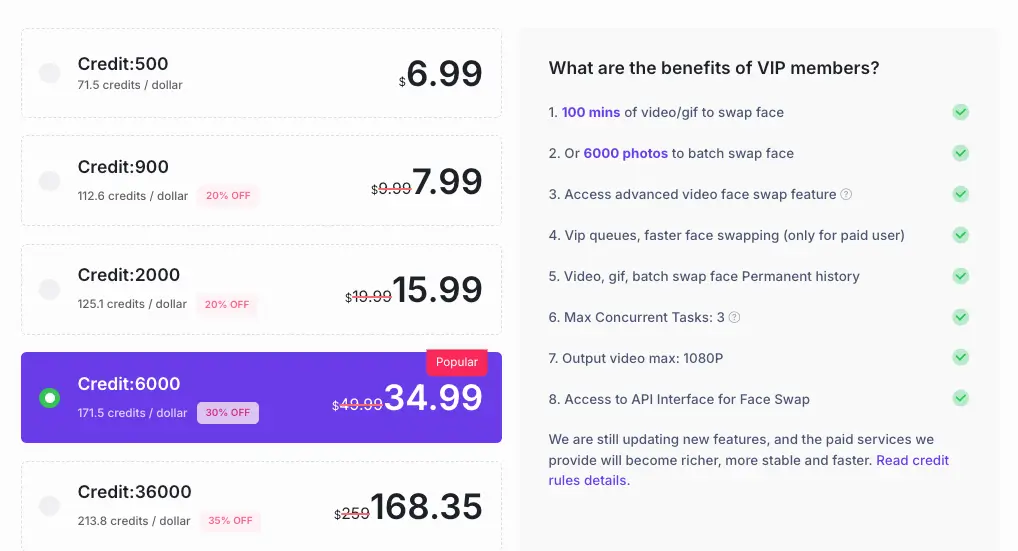
Why it's a Free Alternative to Viggle AI
- Compared to Viggle AI, which focuses on motion transfer and AI-driven character animation, AIFaceswap is more specialized and covers a wider range of use cases.
- Fast Face Swapping: Whether it's images, GIFs, or videos, it processes them in seconds, delivering results instantly.
- Rich Face Swapping Templates: Whether it's image templates, video templates, or GIF templates, the experience is smoother and the results are guaranteed.
- Completely Free: Completely free for image face swapping. Video face swapping also offers a limited free trial period; charges only apply after the free trial period ends.
- Lightweight Application: Browser-based; no app installation or iOS required.
- Advanced Video Face Swap Service: Based on high-precision facial recognition technology, it improves video face swapping results by breaking down video frames.
- API Service: If you need a face swapping API, AIfaceswap provides API services for one-click integration.
- True Face Swap: Not character migration; it preserves hairstyle and clothing, only replacing facial information.
If you want both free and high-precision face swapping services, AIfaceswap can be a more direct and free alternative.
Conclusion
In summary, Viggle AI face swap is best suited for creators who want to produce dynamic entertainment content, such as memes, dance videos, and viral social media clips. Its motion-swapping and animation features make it particularly appealing to TikTok and other short-video creators who can experiment with character movements and trendy content. However, it's relatively expensive, making it less suitable for new users.
On the other hand, aifaceswap.io is better suited for users who primarily need simple and easy-to-use face-swapping functionality. Their face-swapping service focuses more on facial recognition, resulting in more realistic effects. Furthermore, it can solve a wider range of face-swapping scenarios. It's especially suitable for users who value privacy, prefer tools that don't require registration, and simply want to quickly replace faces in images or videos without dealing with complex animation workflows.
In short, if your primary goal is to create animated or dynamic social media content, Viggle AI is a good choice. But if you simply need a lightweight, privacy-conscious, and easy-to-use face-swapping tool that doesn't require registration, then aifaceswap.io might be a more practical and flexible option.