Snapchat Face Swap: Pros, Cons, and Best Alternative in 2026
Author: Youlanda, posted on December 5th, 2025.
Since Snapchat's face swap lens was launched, it has stayed extremely popular. Even with a surge of face swap websites popping up everywhere, you can still find posts on TikTok, Instagram, and Reddit where users enthusiastically share and recommend it.
If you haven't tried the Snapchat face swap lens yet, this article will walk you through its features, highlight its pros and cons, and introduce a free alternative to Snapchat face swap worth trying.

What Makes Snapchat Face Swap So Popular?
After careful testing, here are the key reasons why Snapchat face swap stands out among the many face swap platforms.
📌Simple Operation
Just open the lens and align it with your or a friend's face for an instant face swap. You can also upload photos directly from your Camera Roll, no special skills needed.
📌Real-Time Results
Face swaps are generated almost instantly, letting you adjust on the go for a smooth and natural experience.
📌Seamless Social Sharing
Built-in Snapchat sharing makes it easy to post your creations to TikTok, Instagram, and other platforms, boosting engagement and reach.
📌Variety of Filters and Effects
Beyond face swapping, you can mix in filters and beauty effects to make your photos more fun and visually striking.
How to Use the Face Swap Lens on Snapchat?
There's almost no learning curve, even beginners can start using it quickly. You just need to have the Snapchat app installed on your phone, which works seamlessly on both iOS and Android devices.
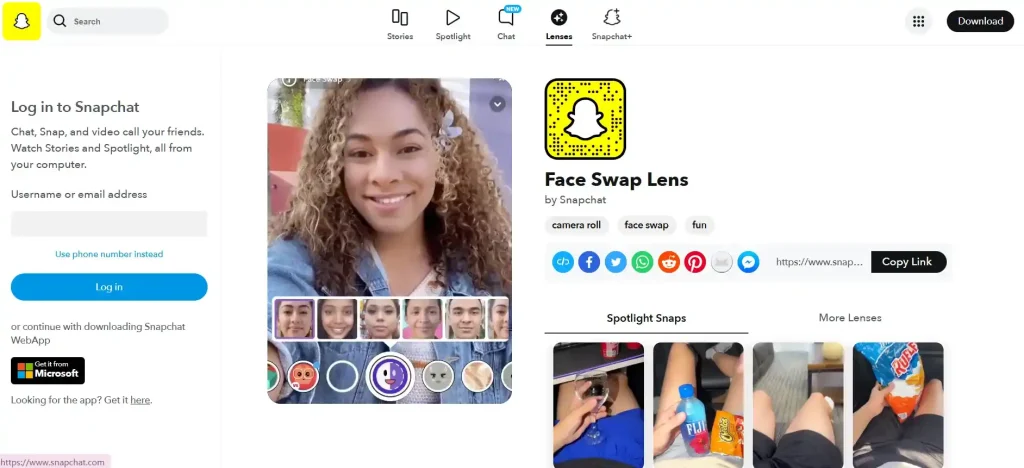
Step1: Open your Snapchat app
First, make sure you have Snapchat installed on your phone, then log in to your account.
Step2: Open the camera lens
On the main Snapchat screen, tap the camera icon to start the front or rear camera.
Step3: Select the Face Swap Lens
Tap the "smiley face" icon at the bottom right of the camera screen to browse the lens library and find the "Face Swap" lens. You can also search for "Face Swap" in the search bar.
Step4: Align the face
Point the camera at your own face or a friend's face, or tap the screen to upload a photo from your Camera Roll. The system will automatically detect faces and generate the face swap effect.
Step5: Adjust and capture
You can move or slightly adjust the face to make the swap look natural. Then tap the photo or video button to capture the result.
Top Tips for Getting the Best Face Swap Results
📌Use High-Resolution Selfies or Images from Camera Roll
Snapchat allows you to upload images directly from your camera roll. Choose high-resolution photos with clear facial features for more natural and detailed results.
📌Pick Faces with Similar Angles
Try to select two faces with similar angles and orientation. This makes the swap look more seamless and avoids awkward distortions.
📌Leverage Snapchat's Real-Time Adjustments
During recording, slightly adjust your expression or head angle to see the real-time face swap effect. Snapchat's live rendering helps you quickly find the best match.
📌Test Different Backgrounds
The background affects how the face swap looks. Simple or plain backgrounds produce clearer results, while complex backgrounds can blur facial edges.
Funny Use Cases for Snapchat Face Swap
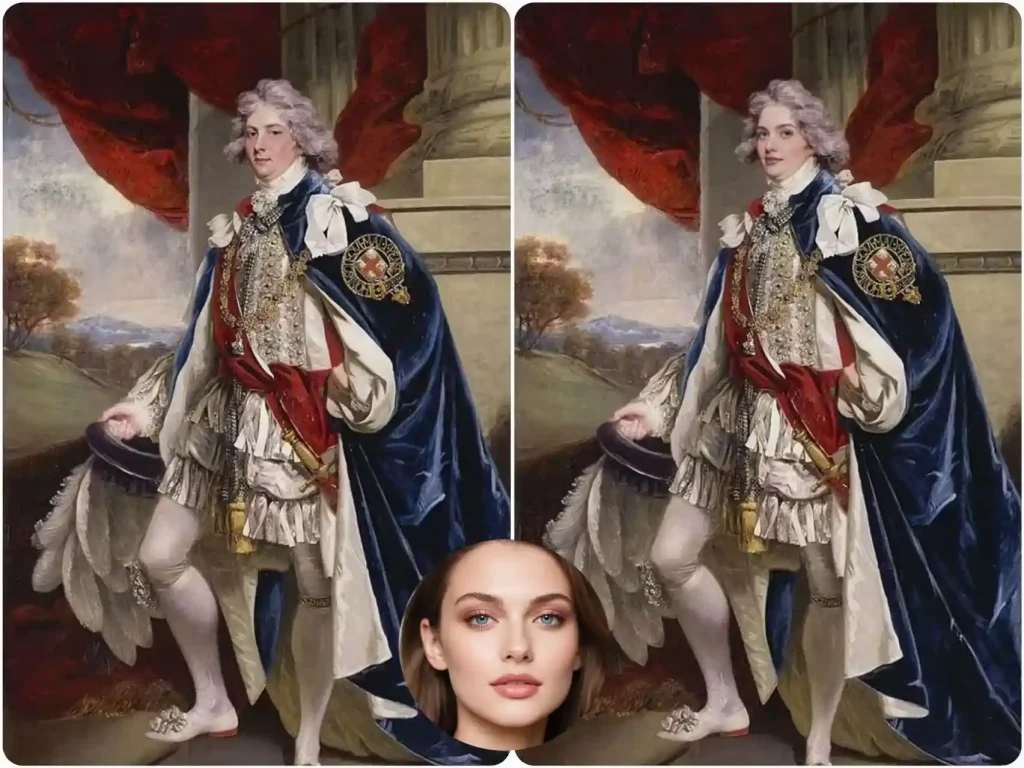
🎯Use Face Swap to Make History Classes More Fun
Swap faces with historical figures in educational videos to make history lessons more engaging and keep students focused.
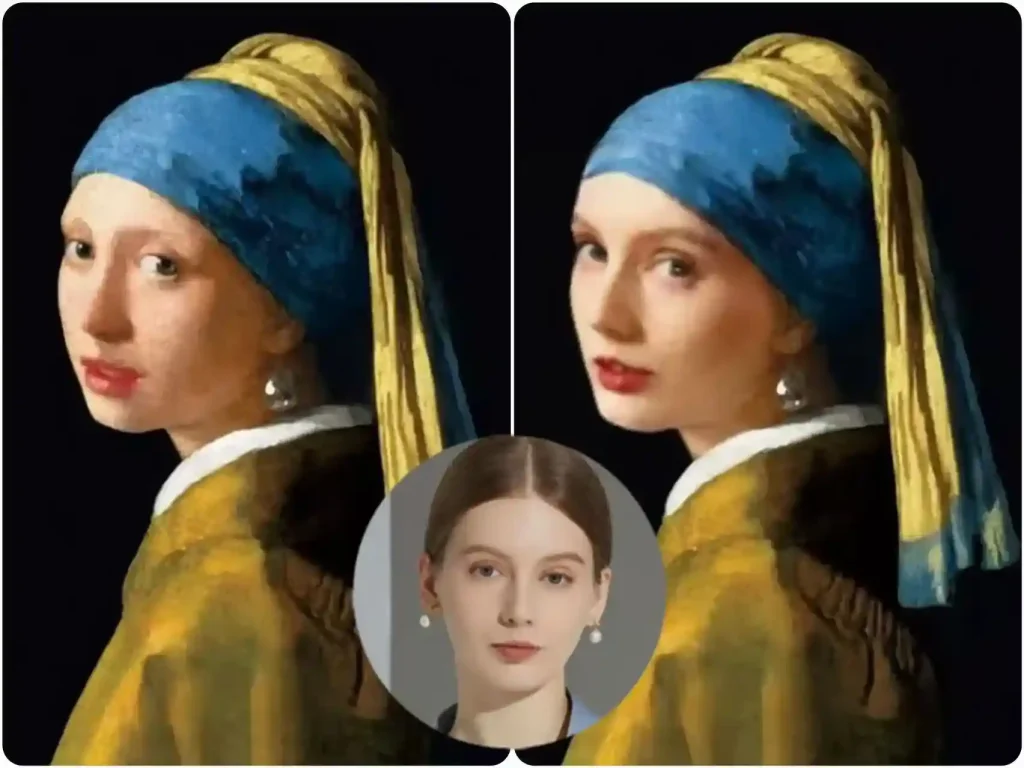
🎯Face Swap with Famous Paintings
Imagine swapping your face with the girl in Girl with a Pearl Earring. Turn yourself into iconic art pieces, creating shareable content for social media in a fun way.
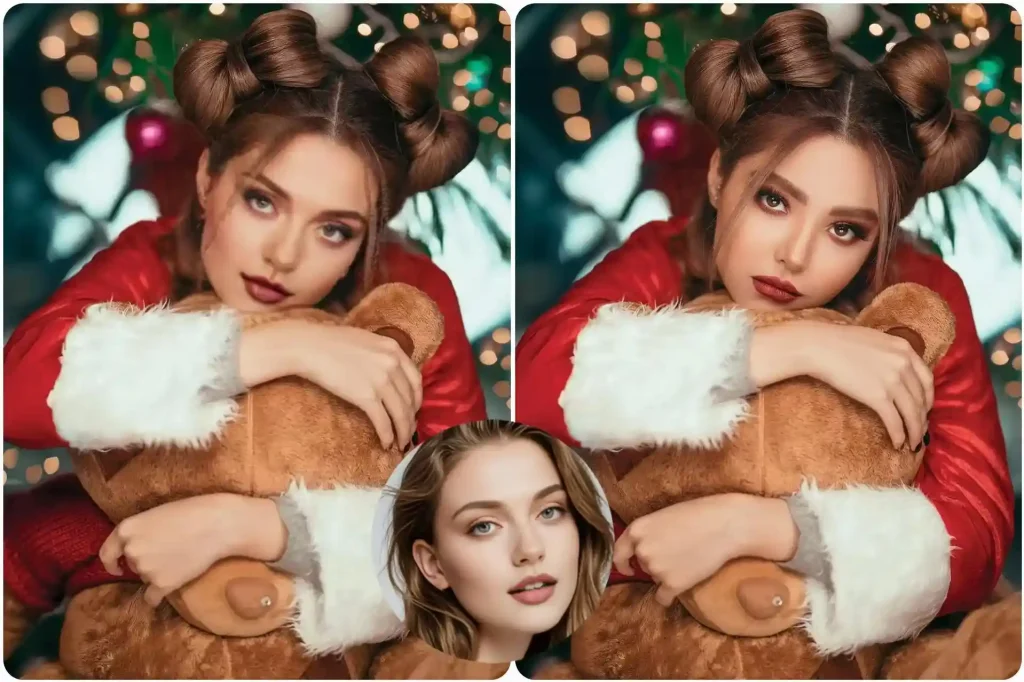
🎯Holiday-Themed Face Swap
No need for special holiday costumes, simply swap faces with festive characters like Santa Claus or Halloween ghosts to add a fun, seasonal twist to your photos.
What Are the Limitations of Snapchat Face Swap?
Snapchat face swap effect is natural, but it does come with clear limitations. It can only handle two faces at once, meaning group photos, complex scenes, and any form of batch face swapping are not supported.
📌Multiple face swap
Snapchat face swap lens is mostly limited to recognizing two faces at a time. If you upload a group photo with three or more people, it often struggles, faces may not be detected properly, or the swap might jump around or fail entirely.
📌Batch face swap
It also doesn't support batch face swap. You can only swap one photo or one video clip at a time, which means you can't upload a bunch of images and process them together like some online tools allow.
📌Limitations in complex scenes
In more complex scenes, busy backgrounds, uneven lighting, partly covered faces, or big angle differences, the accuracy can drop quickly, making the results less stable or less realistic.
The Best Free Alternative to Snapchat Lens
For the features that Snapchat doesn't support, free face-swap websites like AIFaceswap can handle them effortlessly. AIFaceswap consistently ranks #1 on Google search results and has quickly become one of the most popular and trending new tools online.
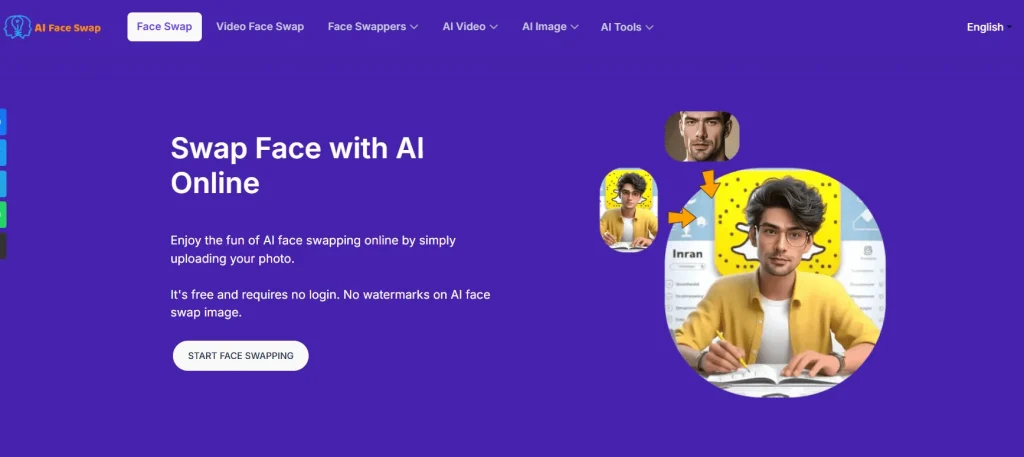
Pros:
🎯100% free for AI face swap, no sign up
For AI face swap, AIFaceswap offers unlimited free uses, and new users can start right away without signing up.
🎯Supports versatile face swap features
In addition to single face swaps, AIFaceswap supports multiple face swaps, GIF face swaps, batch face swaps, and video face swaps, including batch video face swaps, which most other sites do not offer.
🎯Unaffected by Background
AIFaceswap delivers consistent output quality regardless of the background. It accurately detects your face and performs the swap automatically, producing natural and seamless results every time.
AIFaceswap vs Snapchat Face Swap
| Feature | AIFaceswap | Snapchat face swap |
| No Login | ✅ | ❌ |
| Photo face swap | ✅ | ✅ |
| Multiple face swap | ✅ | ❌ |
| Batch face swap | ✅ | ❌ |
| GIF face swap | ✅ | ❌ |
| Video face swap | ✅ | ❌ |
| Batch video face swap | ✅ | ❌ |
| Processing Time | 2-4s | Real time |
Conclusion
In summary, Snapchat Face Swap is a fun and easy-to-use tool that lets users quickly swap faces and create engaging content. While it has some limitations with complex scenarios and multiple faces, it remains highly popular.
For those looking for more advanced features, free alternatives like AIFaceswap offer greater flexibility and ease of use, making face swapping even more accessible.