



What's New
Bringing Photo to Life: Free Mimic Motion AI Online
Using the mimic motion AI tool, transform static photos into smooth videos with just one click in seconds. Even without any prior experience, you can create high-quality motion transfer videos.
The most stable AI mimic motion video generator. It eliminates hand tremors and perfectly replicates motion details.
⭐️ ⭐️ ⭐️ ⭐️ ⭐️ Used by 50,000+ creators for TikTok and YouTube creation.
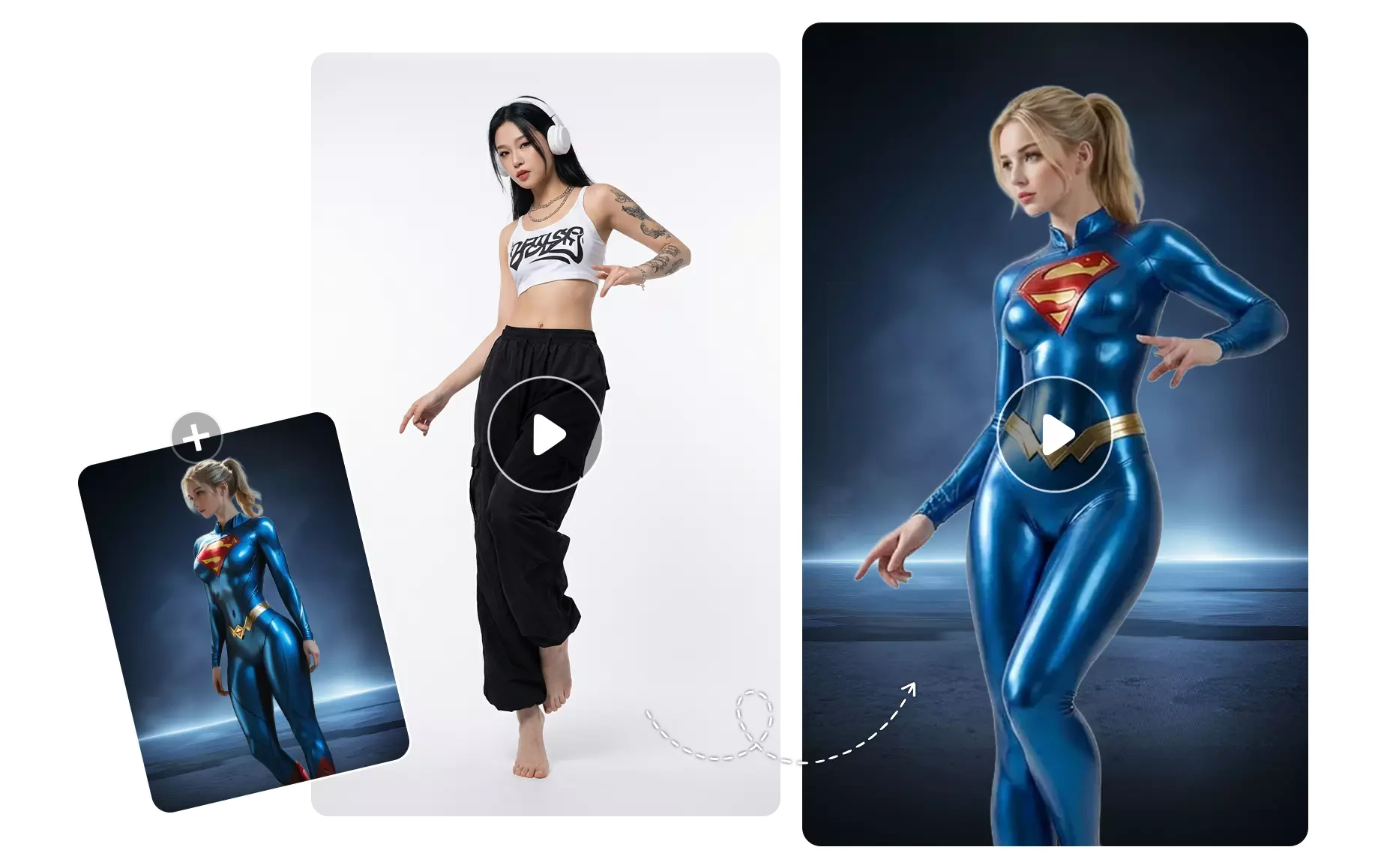
Free Online AI Mimic Motion Video Generator
Simply upload your target video and still photos to create a perfect mimic motion video in seconds. It's simple, fast, requires no prompts, and no special skills.
How to Our Mimic Motion AI Online?
In just three steps, you can copy the actions from any video onto the main character in a photo.
Step 1: Upload the target video
Upload your own video, or choose the action you want to copy from our template library.
Step 2: Upload a photo
Select and upload a photo. It can be a person, a cartoon character, or an animal.
Step 3: Download and share the video
Our mimic motion AI will generate the video in seconds. You can download and share it on social media platforms.
-b182f1138be5ec95c64b5c00187fed54.webp)
ShowCase: What Are Some Practical Business Applications of Mimic Motion AI?
The following case studies demonstrate Mimic Motion AI exceptional performance in handling complex hand movements, large-scale limb motions, and variations in lighting conditions.
Bring Static Photo to Life with AI Mimic Motion
With mimic motion AI, simply upload a static portrait and any popular TikTok dance video, and the AI will accurately mimic the motion, generating a natural and fluid dance video from the photo. Our mimic motion generator captures detailed movements, creating realistic mimic motion videos that allow you to easily dance along to all the popular dances. It's perfect for short video creation, social media content, and even animating virtual IP characters.
Try Free AI Mimic Motion >>
-1ce0236db7c692c7d6df2e17aa530c2c.webp)
Anime or Cartoon Mimic Motion Video: Bringing Realistic Motion Capture to Character
With our free AI mimic motion generator, anime characters can now have realistic body movements. Upload a character image and any live-action motion capture video, and the system will automatically mimic the motion, generating lifelike animated videos. This is ideal for virtual YouTubers, 2D character animation, and creative short film production, allowing static characters to exhibit cinematic-quality motion.
Try Free AI Mimic Motion >>
-ba234d93155f10a94ed2e50c87b1a4a4.webp)
Fashion Model Photos Transformed into Virtual Runway Videos
Using Mimic Motion AI, you can transform any model photo into a high-quality mimic motion runway video. Simply upload a static portrait and a reference runway motion, and the AI will accurately generate natural, elegant, and professional virtual runway footage. This helps fashion designers, brands, and those involved in clothing displays and virtual try-on scenarios to improve creative efficiency.
Try Free AI Mimic Motion >>
-bdb34c5642671a8f99119ee709c01cb3.webp)
Why Choose Mimic Motion AI?
More and more people are choosing AI motion mimicry tools because they effectively address three major pain points.
Pixel-Level Motion Replication, High-Confidence Pose Guidance
Mimic Motion AI employs advanced pose guidance technology to ensure 100% synchronization of character movements with the reference video, eliminating body misalignment.
Cinematic Image Quality Stability, Eliminating Screen Flickering
Based on the latest algorithm architecture optimization, it maintains the consistency of character facial features (ID), generating clear and stable long videos.
Seamless Workflow Integration, Designed for Professionals
Whether you are a developer or a designer, you can easily integrate it into your existing AI workflow.
| Feature | Mimic Motion AI | AnimateDiff AI |
|---|---|---|
| Main Use | Motion Transfer (Image + Skeleton Driven) | Text-to-Video (Prompt + Motion LoRA) |
| Motion Accuracy | ★★★★★ (Extremely high, strictly follows the reference video) | ★★★ (Relatively random, more focused on creativity) |
| Image Stability | ★★★★★ (Excellent background and character ID consistency) | ★★★ (Prone to flickering, requires ControlNet) |
| Hardware Requirements | High (Based on SVD) | Medium (Based on SD 1.5) |
Frequently Asked Questions
Have questions? We’re here to help. For more information, visit our Support Center.
Ready to Try Our 100% Free AI Mimic Motion Video Generator?
Try it free. No skills are required, No login is needed, and No credit card required.

